💼 Opportunities
To access Opportunities:
➡️ Go to Settings → System Configuration → Opportunities from the Top Bar.
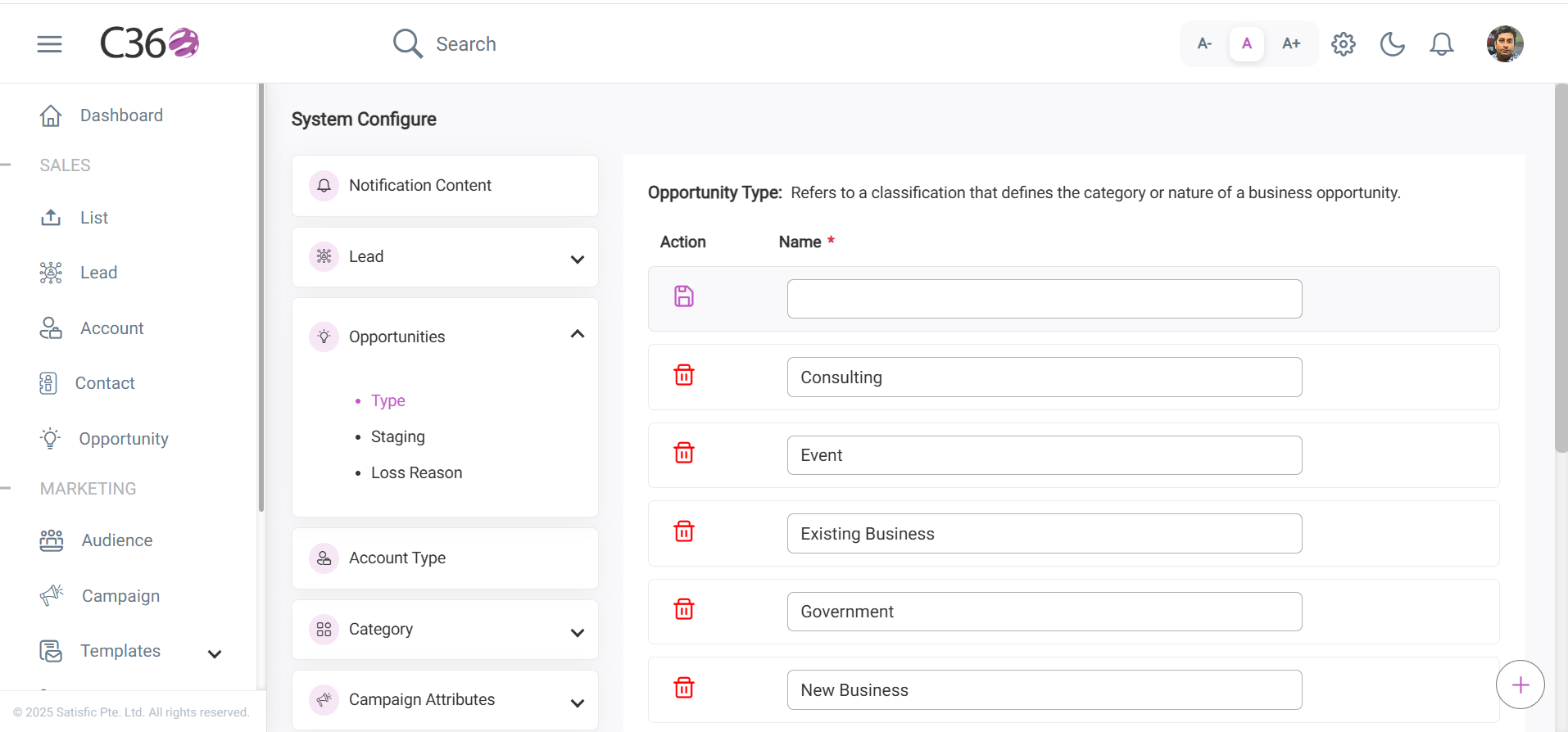
🏷️ Opportunity Type
Opportunity type is a label assigned to sales prospects, such as New Business or Renewal.
It helps organize and prioritize sales efforts for accurate forecasting and targeted strategies.
⚡ Actions
- ➕ Add
- ✏️ Edit
- 🗑️ Delete
Add: Enter the desired name in the Opportunity Type field and click the Save 💾 icon.
Edit: Focus on the field, make inline changes, then press Enter ⏎ or click outside the field to save.
Delete: Click the Delete 🗑️ icon next to the respective opportunity type.
✅ Once added, these opportunity types appear in the dropdown menu when creating or editing an opportunity.
📊 Opportunity Stage
The Opportunity Stage represents the phase of a potential sale, tracking its progress from first contact to deal closure.
It helps sales teams monitor progress, prioritize efforts, and forecast revenue.
⚡ Actions
- ➕ Add Stage
- ✏️ Edit Stage
- 🗑️ Delete Stage
- Enter the stage name.
- Open the color chart 🎨 and choose a colour.
- Click Select ✅ to confirm.
- Set the probability value 📊.
- Click Save 💾 to store the stage.
- Update the stage name or probability inline.
- Save by pressing Enter ⏎ or clicking outside the field.
- To update the color, pick a new one 🎨 and confirm.
- Locate the Delete 🗑️ button beside the stage.
- Click it to remove the stage permanently.
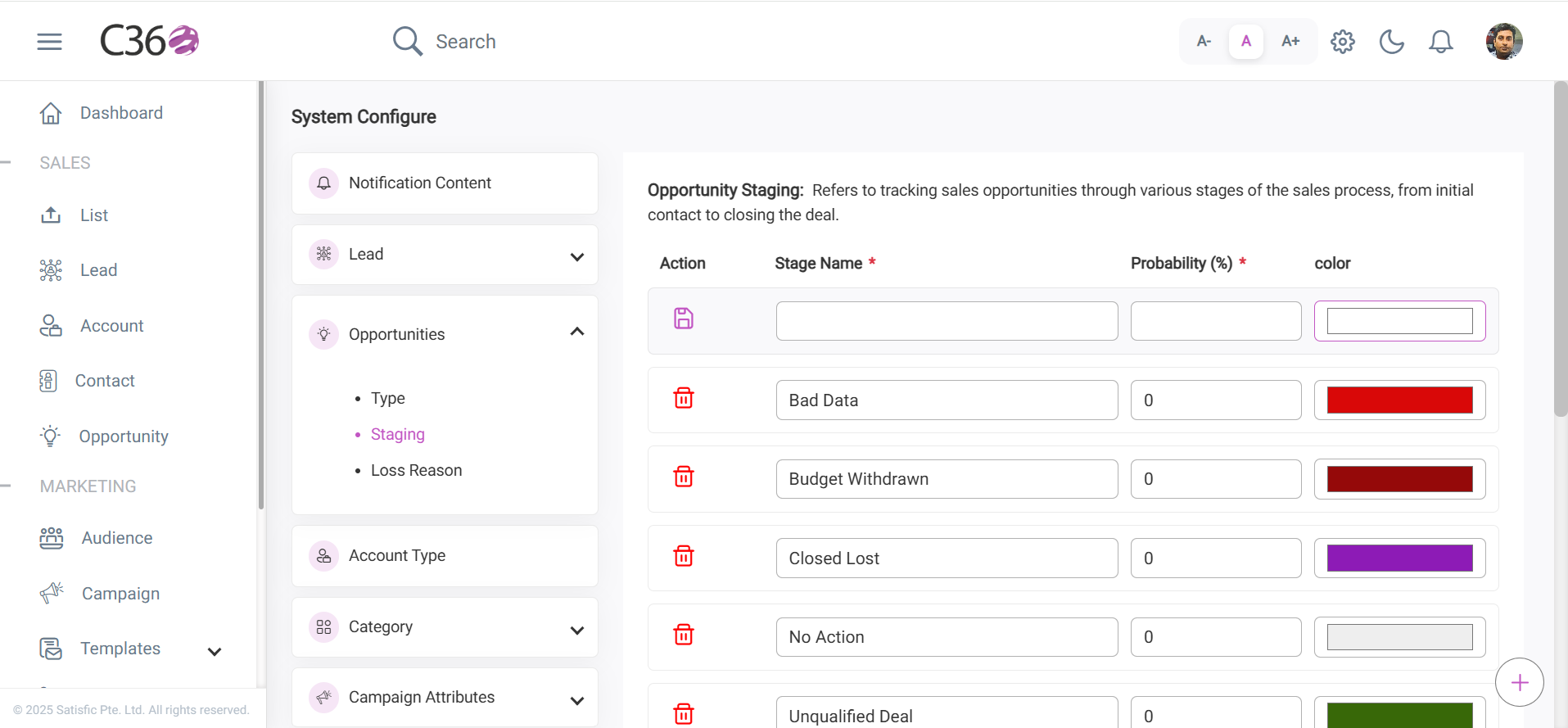
✅ Stage colors are shown in the Opportunity List table, making it easy to visually track stages.
--
❌ Opportunity Loss Reason
Opportunity Loss Reasons explain why opportunities are marked as Closed Lost, helping identify trends and improve sales processes.
⚡ Actions
- ➕ Add
- ✏️ Edit
- 🗑️ Delete
- Click Add ➕.
- Enter the loss reason ✍️.
- Click Save 💾.
- Click on the reason to update it inline ✍️.
Save by pressing Enter ⏎ or clicking outside the field.
- Locate the Delete 🗑️ icon.
- Click it to remove the loss reason.
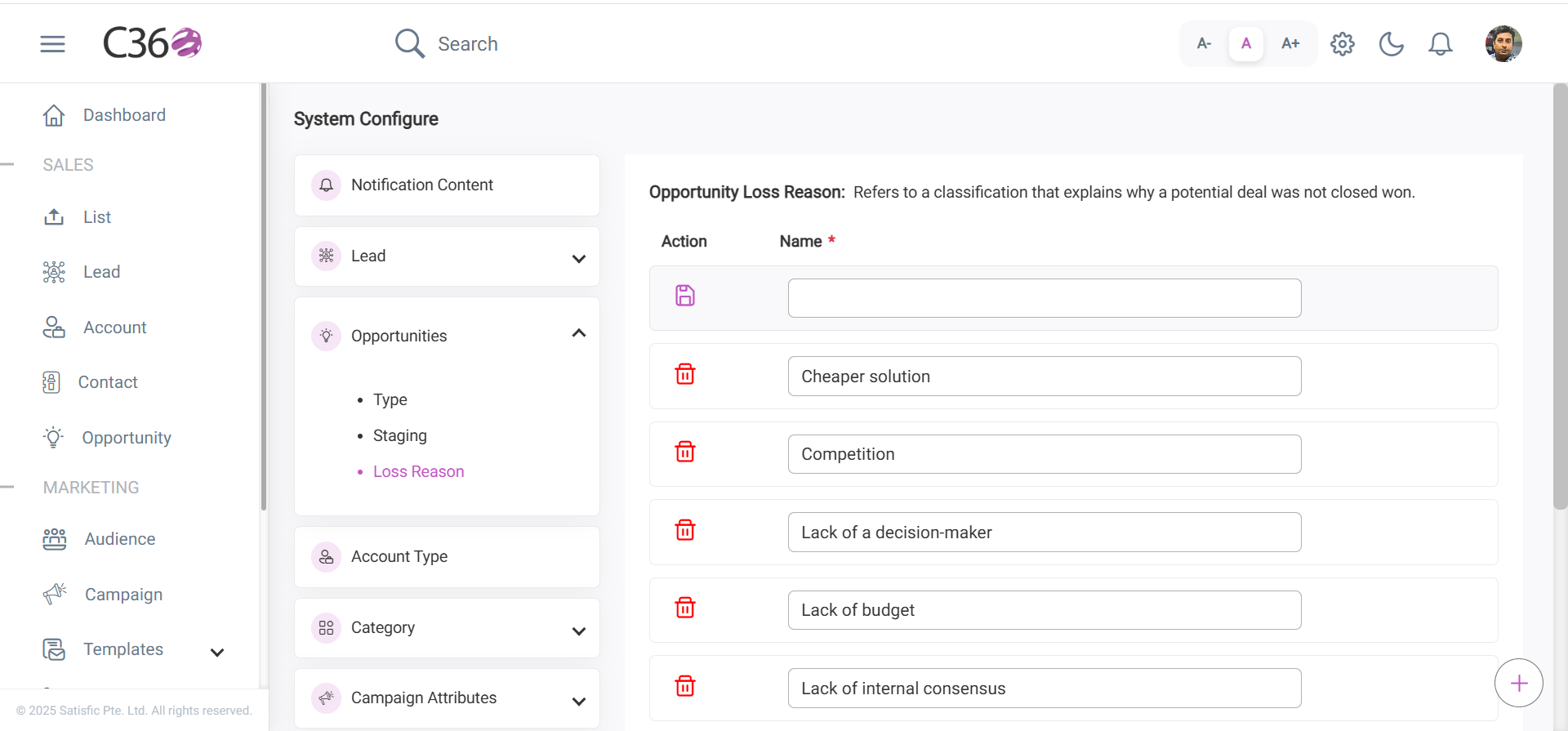
✅ These reasons appear in the Opportunity Loss Reason dropdown when setting an opportunity stage to Closed Lost.