Shark Tank & Round Robin Lead Distribution
The C360 Partner Leads Management module empowers you to distribute leads intelligently, ensuring speed, fairness, and accountability.
You can choose between two flexible strategies:
- Shark Tank → Partners compete to claim available leads, with admins approving requests.
- Round Robin → Leads are assigned automatically and fairly in a rotation.
Both methods help you maximize efficiency while maintaining full transparency in lead ownership.
🦈 Shark Tank Management
With the Shark Tank model, leads are placed in a shared pool.
Eligible users or partners can claim leads, while admins maintain oversight and control.
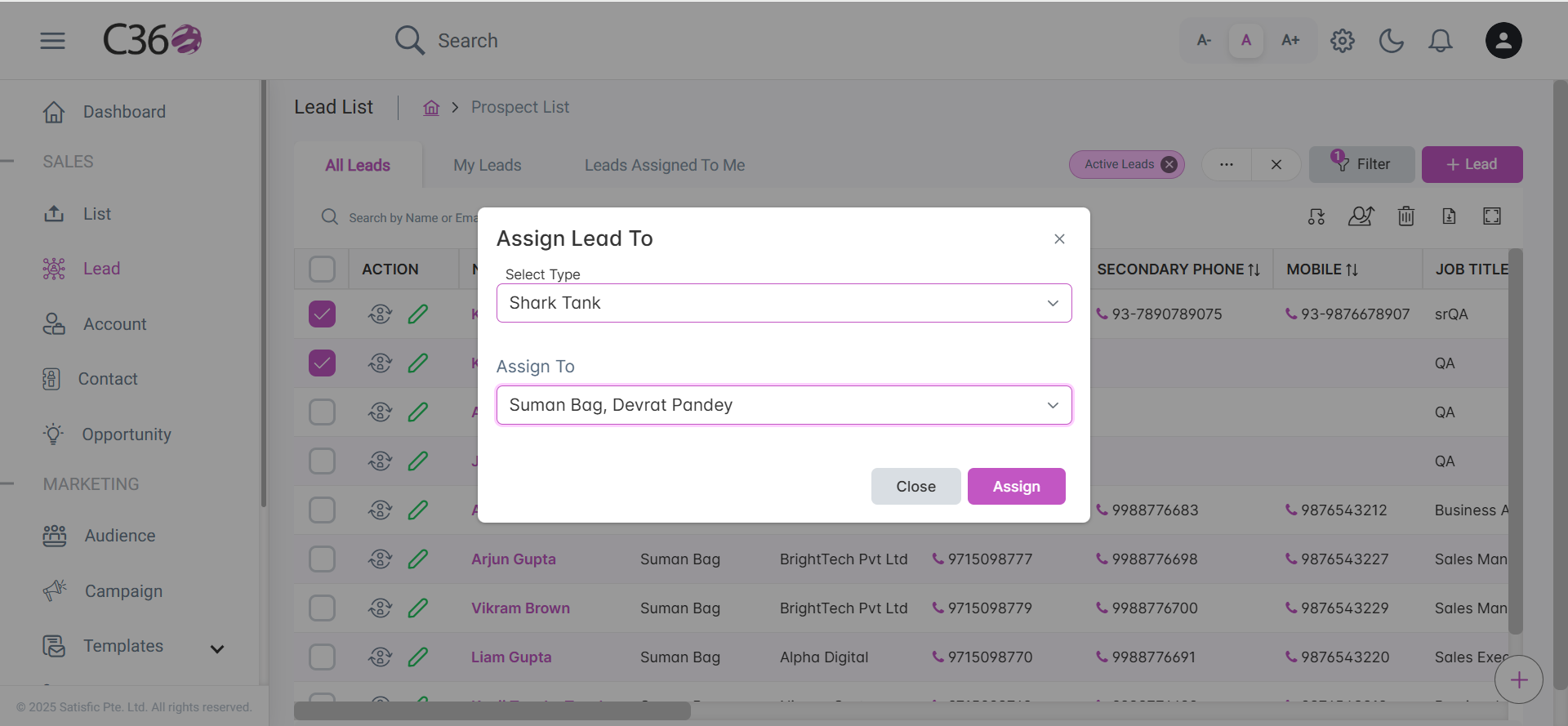
🔹 Assign Leads in Shark Tank
- Open the Leads List in the C360 Sales module.
- Select the leads you want to distribute.
- Click Assign To → Shark Tank.
- Select which users or partners are eligible to claim leads.
🔹 User Experience
- Eligible users see a Claim Lead option in their alerts.
- They can review available leads, select the ones they want, and submit a claim.
- Once approved, the lead is assigned and visible in their pipeline.

🔹 Admin Control
- Admins receive a Claim Review Request notification.
- They can review all pending requests, then Approve or Reject claims.
- Claiming users are automatically notified of the outcome via email.

💡 Business Value: Shark Tank fosters a competitive yet controlled environment — encouraging proactive partners while ensuring admins retain final authority.
🔄 Round Robin Management
The Round Robin strategy ensures every partner receives leads in an equal, fair, and automated rotation.
This approach guarantees:
✔ Balanced workloads
✔ No favoritism or bias
✔ Transparent tracking of lead allocation
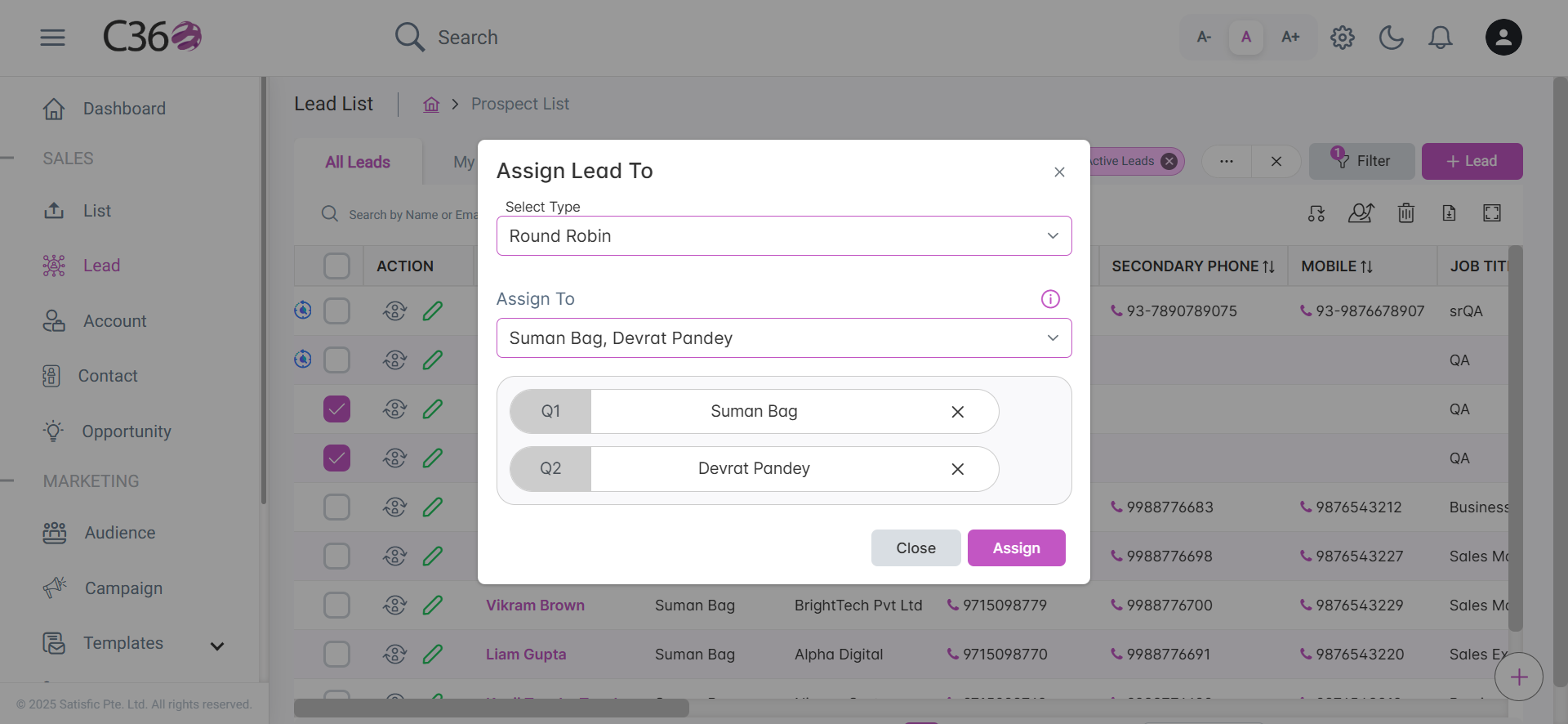
🔹 Assign Leads in Round Robin
- Go to the Leads List.
- Select the leads you want to assign.
- Click Assign To → Round Robin.
- Choose eligible users/partners and drag to set the rotation order.
🔹 What Happens Next
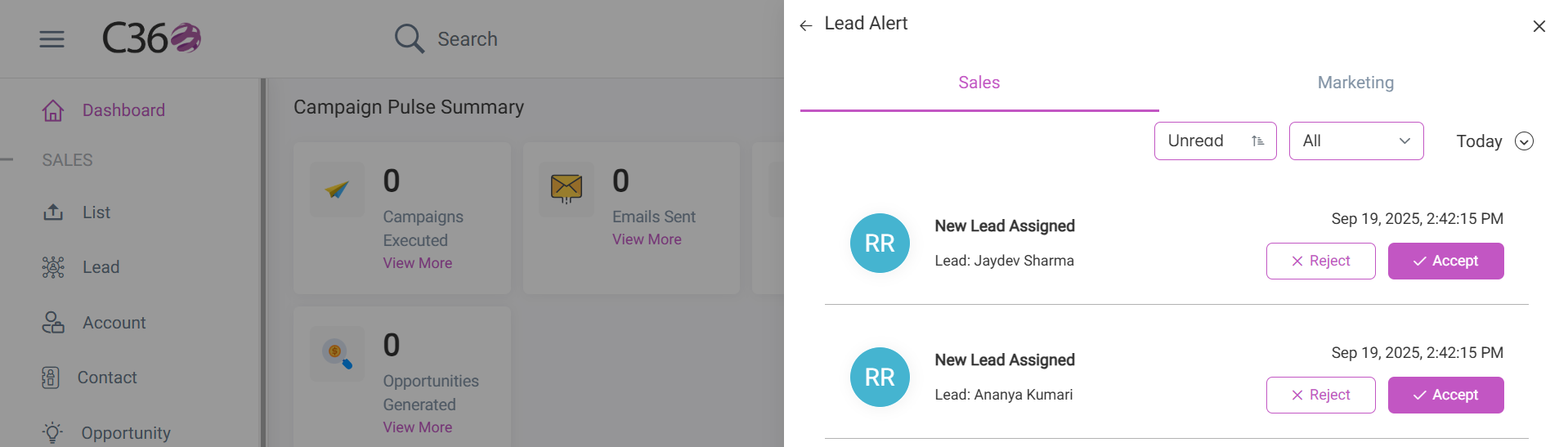
- The system sets the status to Round Robin in Progress.
- Users are notified and can either Accept or Reject leads.
- If rejected, the lead instantly moves to the next person in rotation.
💡 Business Value: Round Robin eliminates manual lead juggling — ensuring speed, fairness, and consistency in distribution.
⚙️ Configurable Options
Both strategies offer smart automation controls:
- Duration → Define how long a user has before a lead is reassigned.
- Remaining Time → Track pending time for each claim or acceptance.
Admins can configure these in:
System Configuration → Lead Assign.
📌 Summary
- Shark Tank → Competitive, claim-based allocation (with admin approval).
- Round Robin → Automatic, equal distribution in rotation.
With C360’s dual lead management strategies, you get the flexibility to adapt to your sales style:
- Encourage proactivity with Shark Tank, or
- Ensure fairness and automation with Round Robin.
👉 Either way, your leads are always handled efficiently, transparently, and fairly.